
01
Projects and properties
The live construction project and property structure in one shared record.
SiteTrack helps teams manage project and property information in one place, keep site communications clear, and use Chat with Engineer so everyone can ask in their own language and read the same trusted facts from your projects and data centers.
No passwords. Sign in with Google or email OTP in seconds.
SiteTrack manages the real construction flow of a project. Planning, people, tasks, materials, contracts, orders, and communications stay in one place. Trusted data centers act as a central knowledge hub for every party on the project, and AI helps teams use that information when they need it.
The live construction project and property structure in one shared record.
Plan work in the real project sequence and keep the flow visible from preparation to site execution.
Main contractors, subcontractors, suppliers, and workers with clear roles on the same project.
Tasks, completion, blockers, and proof attached to the right place on site.
Material needs, deliveries, and project orders connected to the work they support.
Contracts and agreements kept next to the project work they cover.
Records from earlier phases stay ready for the next, so teams do not restart from scattered messages.
Project communication stays inside the project so everyone works from the same facts.
Trusted data centers feed regulations, standards, and product guidance into the platform as a central hub for all project parties.
Chat with Engineer uses project data and data center knowledge so project managers and site teams can ask in their own language and get grounded answers.
Data centers are the central hub of trusted construction knowledge. SiteTrack connects that hub to your live project, and AI delivers it to every party involved.
Chat with Engineer uses project data and trusted knowledge from data centers, then answers in your language for project managers, engineers, contractors, workers, and property owners. Ask a question and get the same facts your site already relies on - even when the original documents were written in Finnish.
A construction-only AI agent for engineers, contractors, workers, and property owners. Not a generic chatbot.
Manage project and property information in one place: units, materials, tools, suppliers, progress, and site records your whole team can trust.
Connect trusted knowledge partners that publish regulations, standards, and product guidance so answers come from verified construction sources.
Your data is secure and never shared outside your project.
Ask in English, Finnish, Russian, or Estonian. Get the same facts from knowledge written in another language.
Understand specs, standards, building details, and regulations while you plan and execute work.
Answers show source references from your project and knowledge libraries so you can verify before acting.
Answers draw on data centers from Finland's construction information systems and core provider knowledge libraries.
One team stores knowledge in Finnish. Others chat and read in their own language without losing technical detail.
Answers grounded in verified construction data and sources
Get fast, accurate answers so you can focus on building
Engineers, contractors, workers, and property owners
When weather, materials, design changes, or site access create delays, Task Backlog turns them into structured cases. You reschedule targets, see how the project timeline is affected, and keep every follow-up tracked with the people who need to act.
Capture the original plan and the new target date in one place so every delay has a clear recovery path.
Break cases into backlog tasks, set priority, and assign owners so recovery work does not get lost in chat threads.
Track delay days, estimated cost, and open cases so project managers see how backlog pressure affects delivery.
Attach site photos, flag hazards early, and turn findings into backlog follow-ups before issues grow on site.
Keep zoning, EIA, Natura, and permit stages under control in one case board. Assign parties, track requirements and documents, and see exactly where every process stands in real time.
Run every stage from one board so planning, EIA, Natura, and permits do not live in scattered email threads.
See completed, current, and upcoming stages instantly, including returns, blocks, and decision gates.
Bring main contractors and subcontractors onto the case so follow-up work appears in their own dashboards.
Surface missing documents, open requirements, and stalled stages before they delay the next gate.
Design clashes, water ingress, wrong dimensions, and other site surprises need more than a chat note. Case Management helps main contractors and subcontractors capture the issue, track cost and delay, record the proper solution, and keep lessons searchable for the next project.
Create structured cases for unexpected site issues so they stay visible instead of disappearing into messages.
Measure additional cost and schedule impact so project leaders know what each surprise is really costing.
Write the proper fix, attach images, and keep the recovery path clear for everyone on the case.
Close the loop with lessons learned and knowledge indexing so the next project starts smarter.
On SiteTrack, a data center is not a server room. It is a knowledge partner - a company that publishes regulations, standards, product guidance, and trade documents so projects can search and train on accurate information.
Providers such as Rakennustieto (construction regulations and information) and Weber (concrete and product knowledge) can operate as data centers on the platform.
Data centers upload regulations, specs, manuals, and supplier documents into their library.
Content is organized by topic and made searchable for connected construction domains.
Main contractors connect the right data centers so their project can use that library.
Chat with Engineer and AI quizzes pull from those sources alongside live project data.
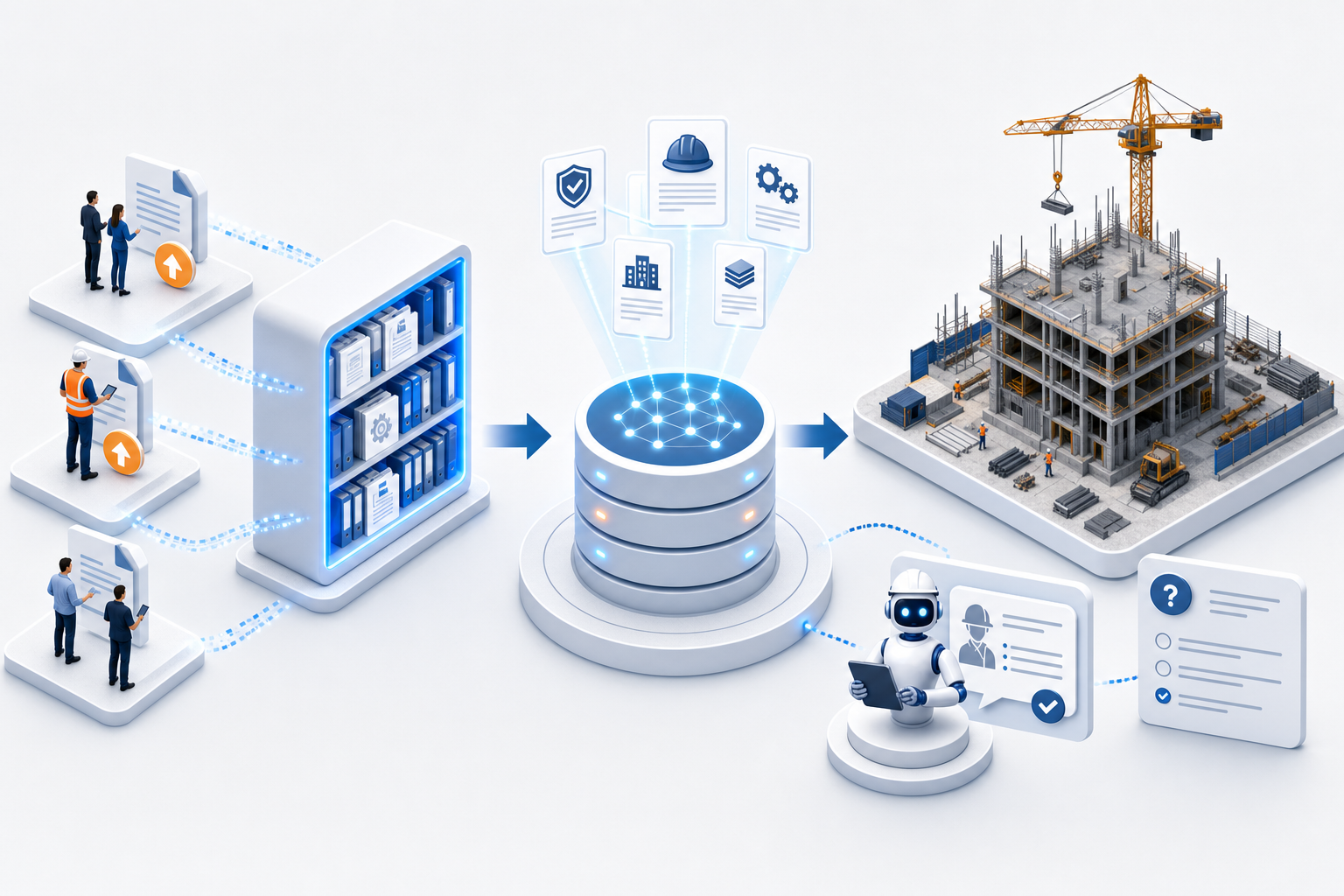
Regulation publishers, product manufacturers, and industry information providers that keep trusted libraries current.
Standards, installation guidance, safety rules, material data, and other approved construction knowledge.
Ask questions in chat or build AI quizzes from the same verified sources your project has linked.
SiteTrack moves status updates to the people doing the work and adds Chat with Engineer for accurate construction knowledge on site. Information reaches the project on time, crews see how far they have come, and teams make faster decisions with AI-backed answers.
Installers report completion themselves at the unit. Supervisors spend less time chasing and more time managing the site.
Updates happen when work is done, not hours later in a meeting or message thread.
Crews see how far they have come. Managers see which apartments and trades are slowing the project down.
Structured data flows from workers to dashboards. One shared picture replaces scattered calls, chats, and paper notes.
Main contractors publish work packages on active projects. Subcontractors discover them, ask questions, book site visits, and apply. When work is awarded, the winning company joins the project through the same invite flow you already use.
The contractor opens a subcontract package tied to a real building site.
Subcontractors find the opening, review scope, and submit a quote.
Book a site visit or use comments before deciding to apply.
The contractor picks a winner and closes the opportunity.
The awarded subcontractor accepts the project invite and starts work on site.
Workers take AI safety and site-rule quizzes in chat before they start on the floor.
On site, plans meet reality. A pipe blocks a cable route, a wall cannot be chased as drawn, or a fitting must move. Workers report the change at the apartment with photos so the project team has proof, not guesses.
On a busy site with dozens of apartments and multiple trades, spreadsheets and WhatsApp photos fall apart fast.
Kitchen, flooring, electrical, and plumbing each track work differently. Nobody sees the full picture per apartment.
Photos sit in chat threads. Completion dates are guessed. Disputes start when handover day gets close.
Installers should work with tools, not forms. Every extra step on site costs money.
SiteTrack follows how residential projects are actually organized.
SiteTrack connects live project data with trusted data centers so construction knowledge is searchable when you need it. Chat with Engineer helps contractors and subcontractors find answers faster without digging through scattered files.
Workers log tasks, upload proof, and report changes at the apartment.
Construction data centers index documents and make them searchable per project.
Ask in your language. Chat with Engineer reads Finnish knowledge sources and answers in the language you use on site.
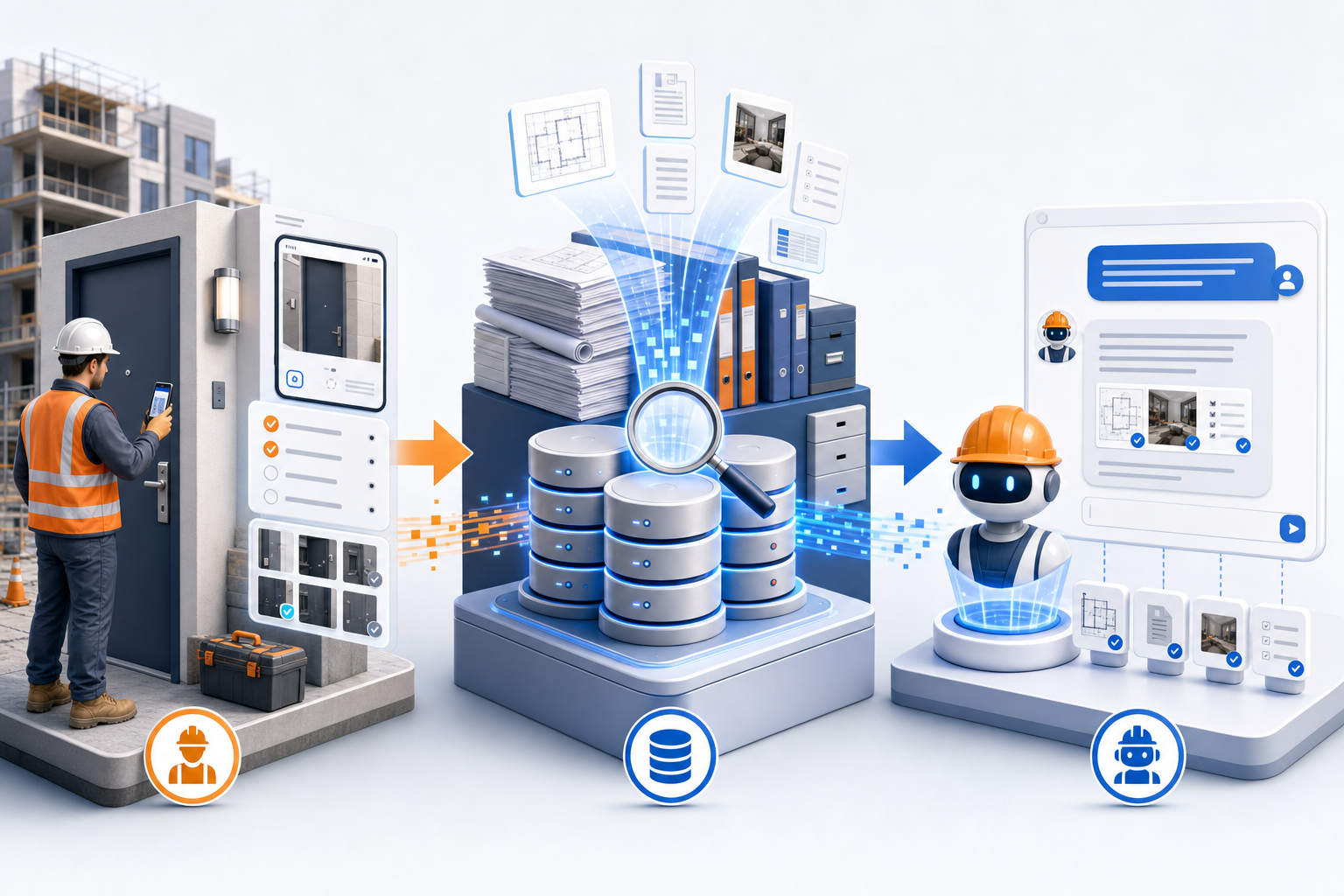
Replace folder hunts and long message threads with one question in the chat.
Chat with Engineer knows which project you are on and combines live stats with document facts.
Replies show which documents and data centers supplied the information.
With AI quizzes you coach crews on safety, work ethics, company policies, and more in a simple chat flow. Content can come from your own documents or from data centers - companies that publish regulations and product knowledge, such as Rakennustieto and Weber. Easy to follow, question by question, in each worker's own language.
Your site knowledge plus data center libraries from regulation and product providers.
Training Coach turns that content into scenario questions in minutes.
Workers answer in conversation. Coaching follows every step in their language.
Practice real site hazards so crews remember the right steps when it matters.
Build shared standards for conduct, procedures, and company rules without classroom days.
Mixed crews follow the same quiz in a chat style, each in the language they use on site.
Track Finnish construction inspections, certification schedules, and post-handover reminders in one workspace. SiteTrack keeps cases, due dates, and official forms together, then uses AI to answer questions from indexed regulations and checklists.
Link projects to Safety cases with inspection types, workflow stages, and recurring due dates.
Filter by project, status, and due window. See overdue work before it becomes a site stop.
Chat with indexed forms, schedules, and guidance to coach teams through each certification step.
Tomorrow, this week, next month, and custom windows keep certification work visible before deadlines hit.
Official PDFs, fillable checklists, and crawled source URLs become searchable AI context for every case.
Crews and coordinators get step-by-step guidance without digging through binders or scattered email threads.
Set up your first project, print QR codes for apartments, and let crews start scanning today.
We sent a verification link to the address below. Click the link in your email, then return here.
Ask in your own language. Answers use project data and trusted knowledge - even when the original source was written in Finnish.
Your feedback helps us improve Chat with Engineer.